Sharing Contact Information Digitally: Why Isn’t This Easy For Android Phones?
In my preparation for the BlogHer conference (which was awesome!), I wanted to put together several ways to share my contact information with the people I would meet. I have traditional paper business cards, of course. But since I’m a digital geek girl, I also poked into my contact card on my phone and looked into ways I could share it. I assumed that there would be an easy, straightforward way to do this. Sadly for us all, I was wrong.
Sharing contact information via a smartphone is one of those things that many people assume is a basic, standard task. Going all the way back to the days of Palm Pilot supremacy and the rise of BlackBerry, the ability to “beam” your info to another person was a nice and expected perk of having a mobile, business-focused device. I remember that the process didn’t always work on the first try, but it was there and was easy.
Fast forward to now. Last week I went into my Android phone’s contacts, found my contact card, hit the Menu button and tapped “Send My Contact Info.” The menu that came up informed me that I could send via MMS, Mail, or Bluetooth. You might think: oh, that sounds reasonable. Let me explain why it’s not.
MMS is multimedia text messaging; thus, I’d send my contact info as a vCard attachment to an SMS. Not all phones/services support MMS. I use Google Voice for texting. It does not support MMS. So I can’t use that.
The Mail option is what I wanted… except Mail does not indicate the Gmail app, it indicates the Mail app for non-Gmail accounts. I don’t have any accounts set up there because I use Gmail on my Android phone. In order to send via my Gmail account, I would have to set up that account in the Mail app then set it to not notify me when messages come in because Gmail is already doing so. Convoluted? Yes.
Bluetooth is what people meant by “beaming” in the past, but connecting to another phone via Bluetooth isn’t always straightforward. Try doing it in a conference hallway when you’re on the way to the next panel and the person you want to send to doesn’t know how the Bluetooth works on their phone. Not ideal.
So really, my phone offered little in the way of easy or viable options. Why?
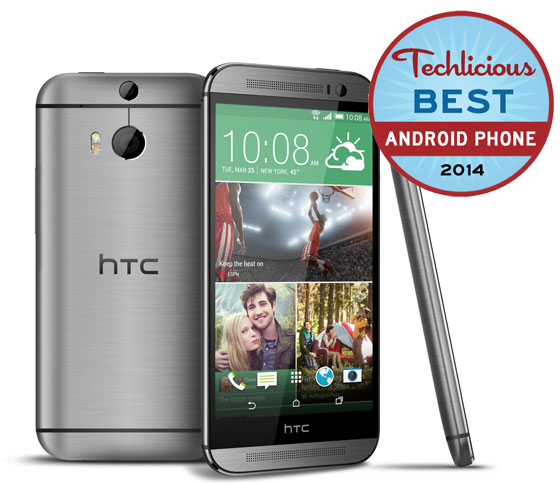
The heart of the problem lies with Android. Apparently, there is no native option for sending contact or vCard data in the OS at all[1]. How is my phone able to do so? It’s all down to the HTC Sense user interface skin. Android skins do more than just change the way icons look and offer fancy widgets, they also provide deep interface functions which are sometimes fixes for things Android doesn’t provide.
Who should I shake my fist at more, Android for not having a native contact sharing function or HTC for not realizing people might want to share contacts via their Gmail accounts? I’m inclined to be a little angrier at HTC.
That’s because I also happen to have a Samsung phone. I don’t use it as a phone, only as a MID/PDA. It connects to Wi-Fi just fine, so I could send my contact info from that device. I checked, and lo Samsung’s TouchWiz UI does realize that users might want to send via Gmail and offers that option. My problem is solved.
That doesn’t solve the overall issue though, does it? It also doesn’t help if I’m not near a free Wi-Fi signal. And my HTC phone is my main device; I want to be able to share from there. That’s when I started to look for alternatives.
I’ll share what I found so far in another post. Right now I’d like to know: how do you share digital contact information from your phone? Is it easier on iOS or webOS? Have you found the perfect app for the purpose? Let me know in the comments.
Notes
- This is what I gleaned via research and appears to be true at least up until Android 2.2. Some forum threads suggest that this function is available in Gingerbread (2.3), but I have not had a chance to check this myself. [↩]
Last week I went to a writing retreat with several writing types in a converted barn somewhere in Connecticut. It was glorious. Five days where our only job was to write and our only sin to procrastinate.
There are many ways to procrastinate in situations such as this, and a big one is undoubtedly by faffing around on the Internet. To combat this great evil, my friend Alaya Dawn Johnson employs a Firefox extension called LeechBlock, which allows one to set specific times when the browser simply will not allow you to access any web pages if that’s what you want. It’s very customizable — you can set it to block or allow only certain websites, or block the whole the ‘net, block during specific times on specific days, limit you to, say, 10 minutes out of every hour, or limit you to a certain amount of time on certain websites. So, if you need the wider web for research but need to stay off Facebook and Twitter, you can make it so. There are even more robust block options that keep the more tech-savvy amongst us from going around the block by disabling the add-on or something similar.
I know some of you reading this are thinking: “Why go through all that? Why not just have discipline and not look at the web?” It’s easy to say such things, not so easy to put it into practice. Besides, not all of us have wills of iron. There’s nothing wrong with employing some technological help in these cases.
I’ll admit that I’m completely guilty of messing around on the Internet when I’m supposed to focus on writing. I used to dismiss cafes for satellite writing/freelancing if they didn’t have free wireless. Now I’m trying to build a list of places without wireless just so I won’t get tempted. But even in places without Wi-Fi I’m in trouble because now I have a smart phone. And not only does my phone access the web, it’s also a mobile hotspot.
Leaving my phone at home when I go out writing isn’t an option, so I went looking for something like LeechBlock but for Android phones. I found a few, but the only one that didn’t have a lot of issues was StudioKUMA AirPlane Scheduler, which turns Airplane Mode (no cell, Bluetooth, or Wi-Fi radio) off at a specified time, then off again automatically. The major drawback is that it’s not designed to keep you away from the web, just to save battery, so there are no restrictions from turning Airplane Mode off or anything. However, sometimes having willpower just requires a little bit of restriction to remind you that you’re supposed to be working, not obsessively checking your notifications.
What tools do you use to keep yourself from procrastinating and foster more laser-like focus?
Since I’m using the HTC Evo 4G at the moment, I spend a lot of time on this site. I’m always impressed by bloggers who create device-specific communities almost before the devices are announced.
This post was syndicated from my Tumblr. Comment below or Reblog @ Tumblr.
To see all of my Tumblr posts, please follow me there.

Many moons ago I reviewed a little product called the Archos 5 Internet Tablet, one of the first Android devices I’d ever played with for any length of time. It was a bit like an Android phone except without the phone part, and it was great for watching video and reading books, webpages, etc. Essentially it was a PDA, but that’s an old-fashioned term that went out with the 90s! These days such things are called tablets. Or iPod touch.
Anyway, I quite liked the Archos 5, though it was early days with Android tablets and it was hard to make out what real use it would be. I think we got a bit caught up in how it wasn’t a phone instead of thinking of it as an updated and awesome PDA-like thing. That’s how I came to think of it, and that’s why I liked it.
But, alas, the tablet had to go back and I sought solace in other Android devices. I’m a fan of the Motorola Droid and I’m really starting to dig the HTC Evo 4G. But in all honesty, the phone I really want is an Archos 5 Internet Tablet you can make calls from. So imagine my excitement when we heard about the Dell Streak at CES this year. And now it’s finally got a release date (end of July) and a price ($499).

I did not get to touch the Streak myself, alas, but I know its roughly the same size as the Archos 5 as it has a 5-inch screen and looks pretty thin. 5 inches seems huge for a phone, I know, but honestly what I want is a small tablet that happens to make calls. The Evo 4G is a pretty massive phone, and that mans I can view web pages, read my RSS feeds, and watch video on a reasonably-sized screen. The Streak will hopefully give me all that and more.
You can’t see, but I’m bouncing up and down right now just thinking about it.
The price is a bit steep, yes. $499 is about what the least expensive iPad costs. But that iPad doesn’t have 3G. Plus, that’s only for the unlocked version of the device. Through the carrier (AT&T) it will be less, we just don’t know how much less yet. Still, I’ll be buying the unlocked one, anyway, since I have no intention of switching to AT&T.
Hopefully we’ll get the Streak in for review well before the launch date. Then guess who’s going to lobby to do the review?
A few nights ago I was watching The Closer — one of my very favorite shows — and during a crucial scene in which the Major Crimes squad is closing in on tracking down two suspects, one officer after another comes into the Chief’s office to deliver a new piece of information. One member of the squad, Lt. Tao, is the tech geek of the group. His bit of information was that he’d located the address of the suspects and had a picture of the location on his phone.
On your PHONE? Someone asked with far, far too much emphasis.
Yes, on his phone. Tao proceeds to flip the screen up and, oh, look at that, a T-Mobile G1. If I wasn’t aware that this phone was called a G1, a shot of the back of it revealed G1 in huge white letters on the back of the screen. (I don’t think that exists in actual, real-life models of said phone. I could be wrong.)
There is some more waving the phone around. Chief Johnson wants to see this picture of the address (provided by Google Maps/Google Street View) for herself. She grabs at the phone, but Tao says, “Let me e-mail it to you.”
I think at this point someone actually exclaimed, again far too emphatically: E-MAIL!?
Yes, show, we get it. The G1 is a marvel. You can see maps on it and it can send e-mail. Woo.
I don’t usually mind product placement. I don’t know if most people even register the model of the laptops and other computer equipment TV people use. I do, usually because I find it funny or I’m scoffing. But man, this was a bit beyond.
So anyway, just so you know, the fake LAPD Major Crimes Squad prefers the T-Mobile G1 for finding pictures of suspects’ houses. And E-MAIL!?
K. T. Bradford
If code is poetry, then CSS is The Iliad. In the original Greek.
I write about and review mobile technology, which means I get to spend the day steeped in laptops, smartphones, tablets, eReaders, and other things that go beep. Lest you question my status as a ChicGeek, I'll proudly claim an unabashed love for netbooks, Linux, science fiction, and curly hair products. Currently I'm the Reviews Editor for Notebooks.com and GottaBeMobile though my writing can occasionally be found in Black Enterprise magazine.
New Tech
- The Long Path To Market For Lenovo’s Yoga Gives Me Hope I’ll See Other Devices I Want Someday
- Why Google+ Wants Your Real Name
- Sharing Contact Information Digitally: Why Isn’t This Easy For Android Phones?
- Liz Henry: The Best Apps for BlogHer ’11
- “You announce what kind of phone you have and you’ll spend the next hour enduring an obnoxious holy war”
Demarcating Days
« Jan
Mar » February 2012 S M T W T F S 1 2 3 4 5 6 7 8 9 10 11 12 13 14 15 16 17 18 19 20 21 22 23 24 25 26 27 28 29 EC Tagged Tech
accessories Acer Android Apple Apple Tablet apps ASUS ASUS UL30 ASUS UL30A being geeky clips code is poetry CULV processor Cute Tech facebook Fedora Firefox Google iPhone Journalism LAPTOP Magazine laptops linkedin Linux Linux Mint Mandriva Linux my reviews netbook netbooks notebook operating systems PCLinuxOS Samsung Samsung N110 Samsung NC10 Samsung NC10 Special Edition smartphones tablets tech Ubuntu ultraportable ULV processor USB Drives USB Hub web designOld Tech